
Turn your walks into invoices
Pick a date range, choose the walks you've done, and WalkBuddy creates one invoice per customer, ready to email as a PDF.
Create your free account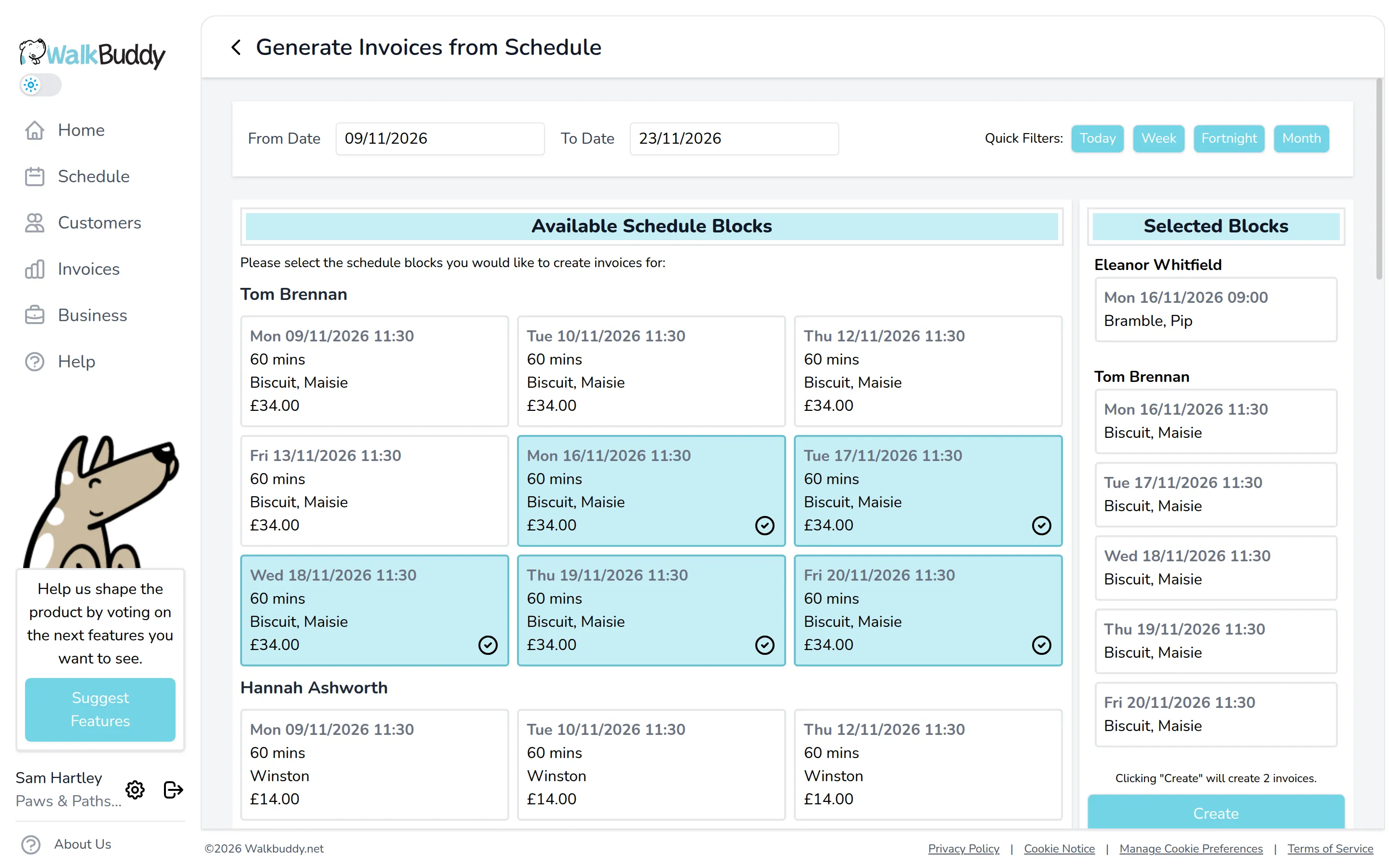
From your schedule to invoices in a few clicks
Choose a period of up to a month (today, this week, this fortnight, this month or your own dates) and WalkBuddy lists the walks that haven't been invoiced yet. Tick the ones to bill and it creates one invoice per customer, with a line for each dog and walk at the prices you set. You can also write an invoice from scratch for anything that isn't a walk.
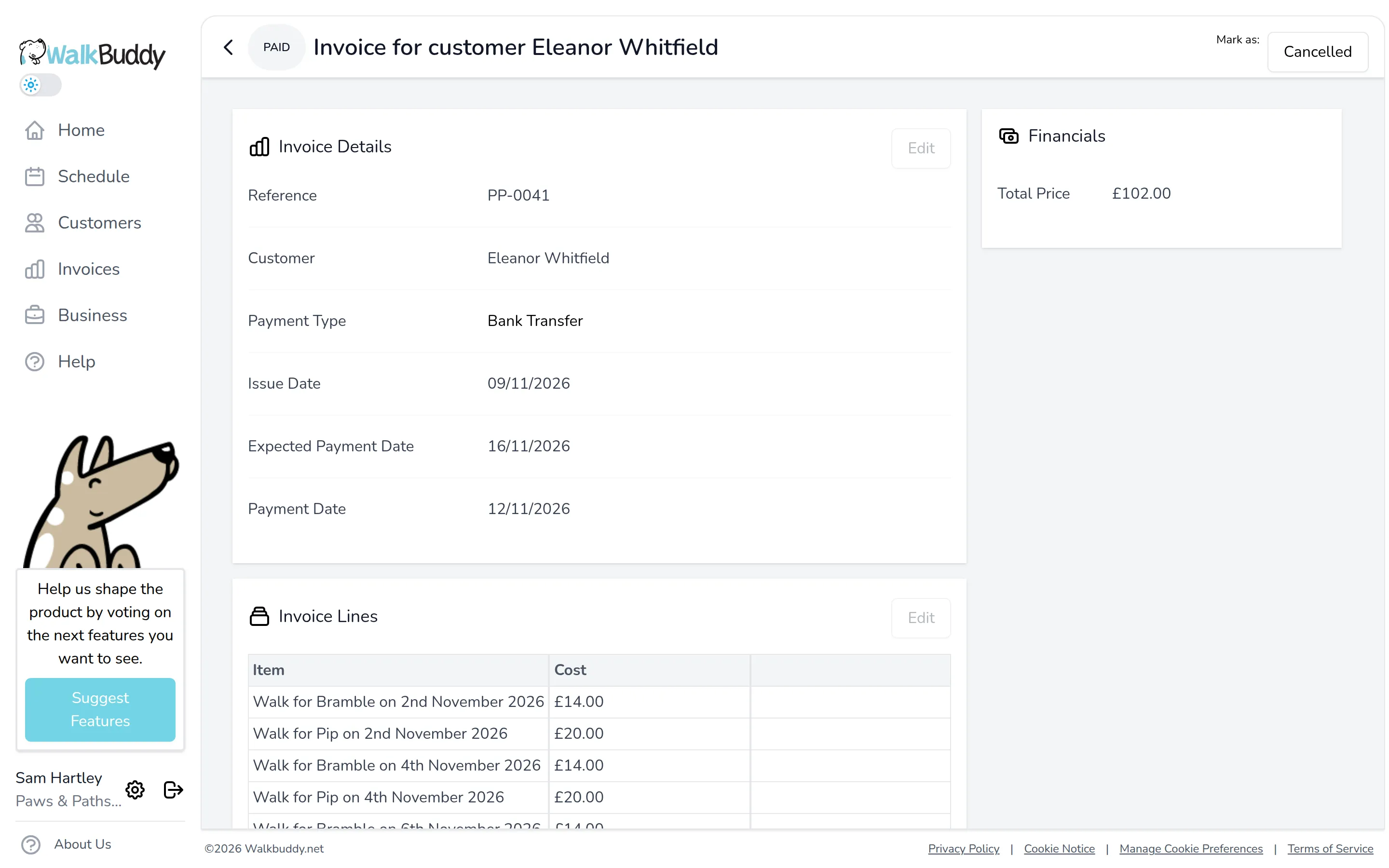
Professional PDF invoices, emailed for you
When you send an invoice, WalkBuddy creates a PDF and emails it to your customer, with a link to view it. Every invoice carries your business details and your bank details (account number and sort code, plus IBAN and SWIFT if you add them), and your VAT number and company number if you have them. Prefer to send it yourself? Mark it as sent and download the PDF instead.
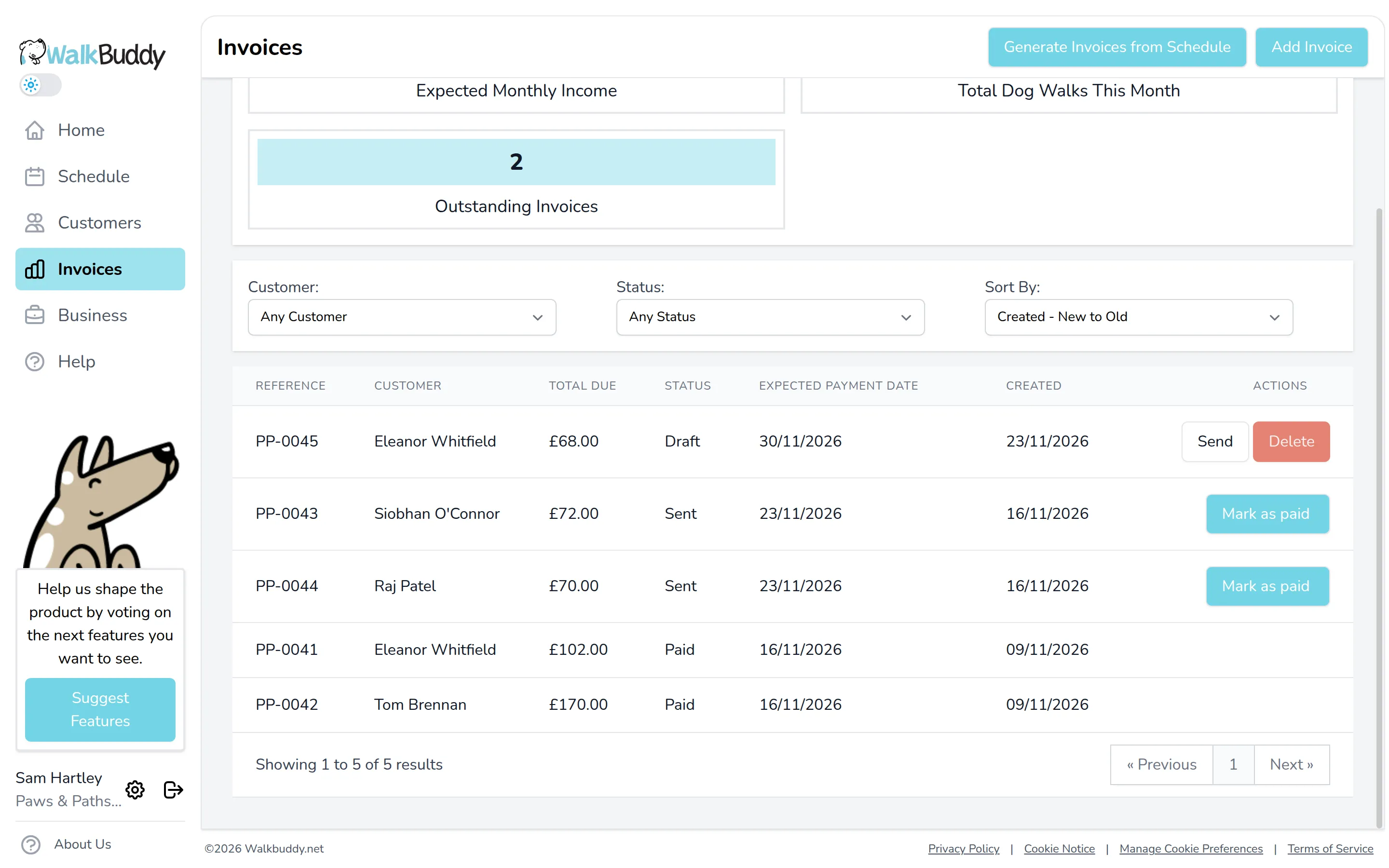
Get paid, and know who still owes you
Invoices move from Draft to Sent to Paid. When a customer pays, mark the invoice as paid and record whether it was by bank transfer, card or cash. If a payment is late, send a reminder by email with one click. Your dashboard shows what you can expect to earn this month from the walks you've booked, how many walks you have booked this month, and how many invoices are overdue.
Invoices that match your walks
Once a walk is on an invoice, it can't be changed by accident. Your schedule and your invoices always tell the same story, which makes your records easier to keep for HMRC. If you're VAT registered, VAT is added at 20% on each line.
Questions
Can my customers pay online?
Not through WalkBuddy. Customers pay you directly by bank transfer, card or cash, using the bank details printed on the invoice, and you mark the invoice as paid.
Does WalkBuddy chase late payments for me?
Reminders aren't automatic. When an invoice is overdue, press the reminder button and WalkBuddy emails the customer a reminder with the invoice attached (at most once a day). The invoice shows how many reminders you've sent.
Can I send an invoice myself instead of by email?
Yes. Mark an invoice as sent without emailing it, then download the PDF and send or print it however you like.
Do I need to be VAT registered?
No. If you are, add your VAT number and WalkBuddy adds VAT at 20% and shows your VAT number on invoices. If you aren't, invoices have no VAT.
Ready to get organised?
WalkBuddy is free, with every feature included. No card needed.
Create your free account