
Plan your week of walks
See every walk you've booked, know what each one is worth, and copy your regular walks forward instead of typing them in again.
Create your free account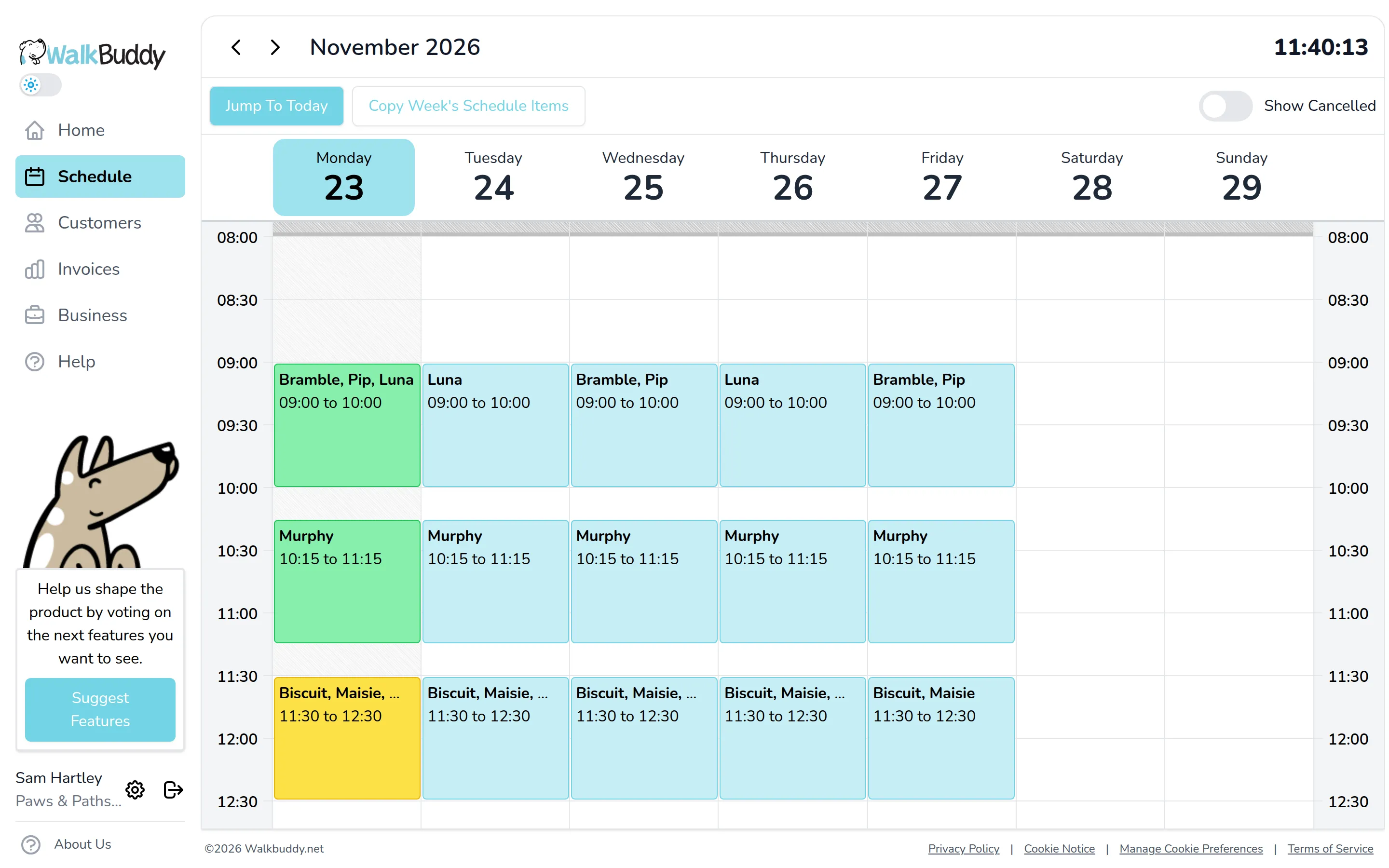
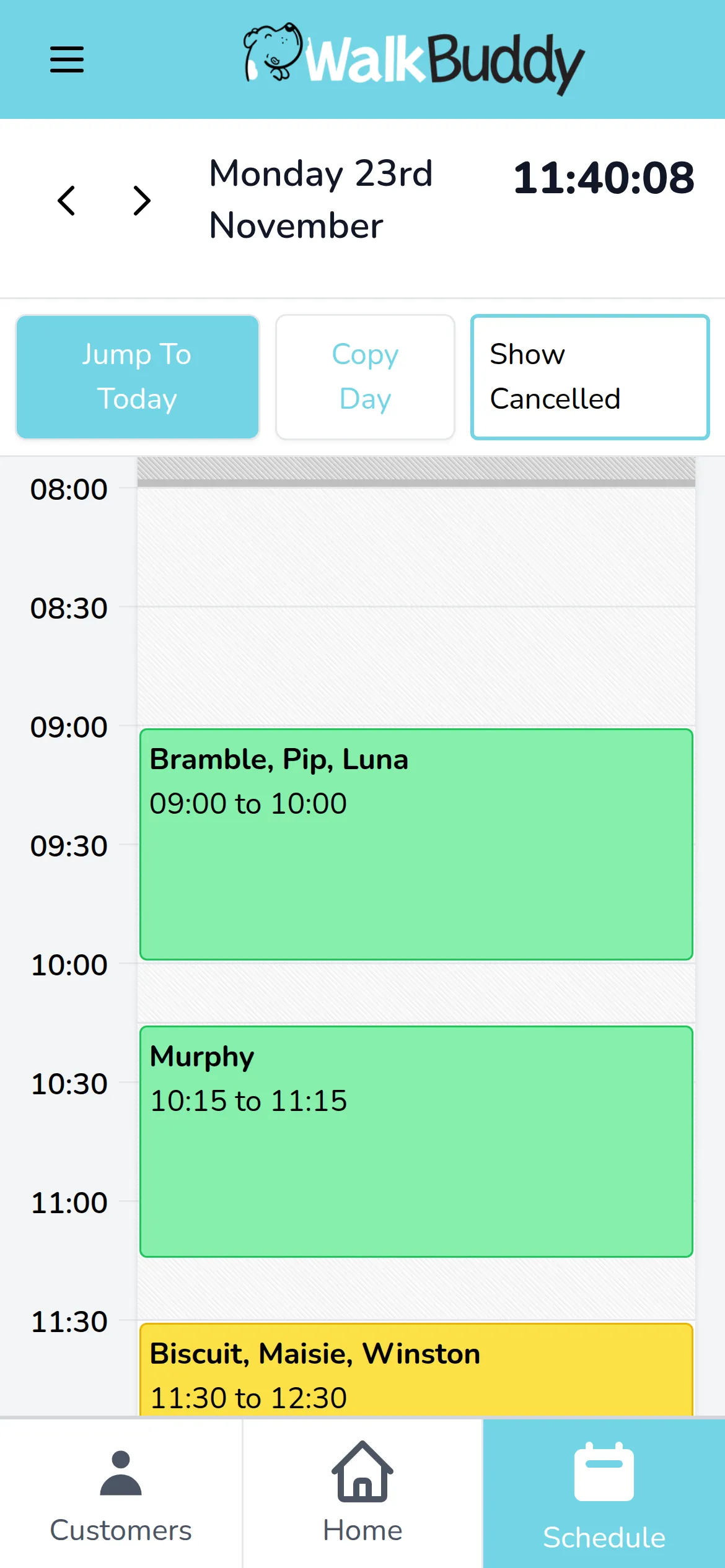
A calendar built around walks
On a computer you see the whole week at a glance; on your phone, one day at a time. Drag a walk to move it to another time or day, jump back to today, and hide cancelled walks when you don't need to see them. You choose your usual working hours and how long a walk normally lasts, so new walks start out the right length.
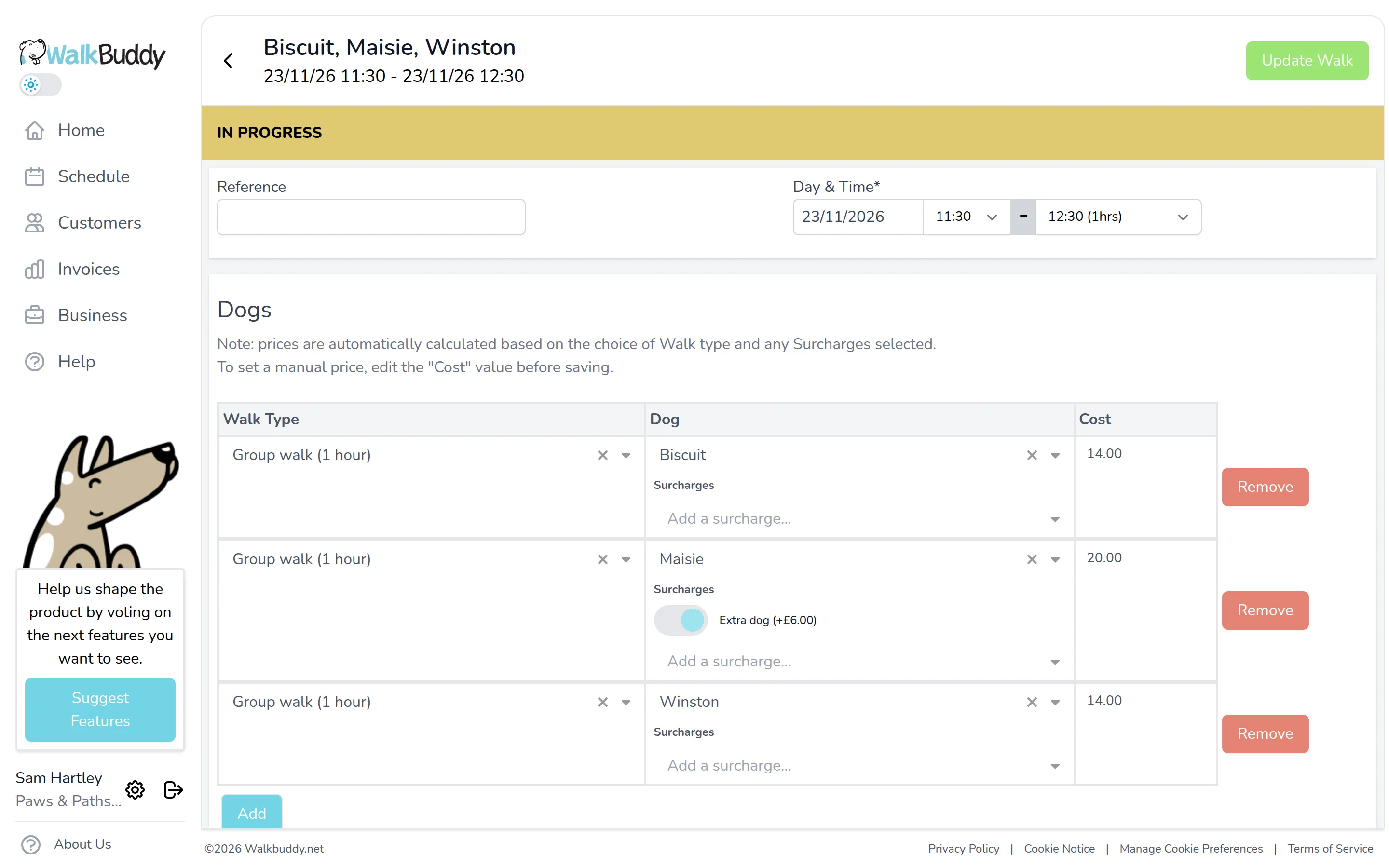
Several dogs on one walk, each priced properly
A walk can hold as many dogs as you take out together, from the same customer or different ones. Each dog has its own line with its own walk type and price, and any surcharges on that dog's profile (such as an extra for a second dog from the same home, or for a dog that needs more care) are added for you. If you're VAT registered, VAT is added too. WalkBuddy shows the total value of every walk, so you know what your week is worth before you send a single invoice.
Set your prices once
Create your own walk types, each with a name and a price: a solo hour, a group walk, a puppy visit, whatever you offer. Mark one as your default. Add surcharges as named flat amounts and attach them to the dogs they apply to. From then on, every walk is priced the same way, every time.
Copy instead of retyping
Most dog walkers have regular customers on regular days. Copy a single walk to another date, copy a whole day, or copy a week or any date range in one go. There are no repeating-walk rules to manage: set up your week once and copy it forward.
Keep track of what actually happened
Each walk is Scheduled, In Progress, Complete or Cancelled. Walks in the past that were never marked complete are flagged, so nothing slips through before you invoice. When you're ready, turn the completed walks into invoices.
Questions
Can I set up repeating walks?
Not as automatic rules. Instead you copy: a single walk to another date, a whole day, or a whole week or date range. Most walkers set up one typical week and copy it forward.
Can I walk dogs from different customers together?
Yes. A walk can include any dogs on your books, each with its own walk type and price. When you invoice, each customer is only billed for their own dogs.
Can I use it on my phone?
Yes. WalkBuddy runs in your phone's web browser, where the calendar switches to a single-day view. The Android app is planned for Google Play in January 2027.
What if I need to change a walk after invoicing it?
Walks that are already on an invoice can't be changed, so your invoices and your schedule always agree.
Ready to get organised?
WalkBuddy is free, with every feature included. No card needed.
Create your free account